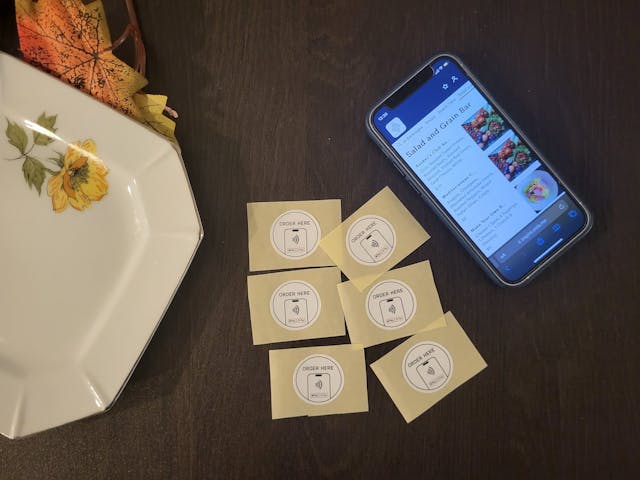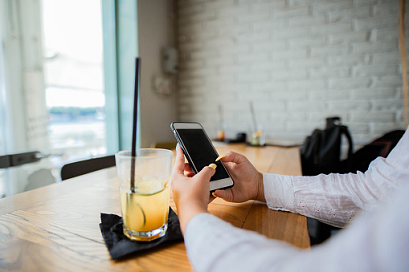

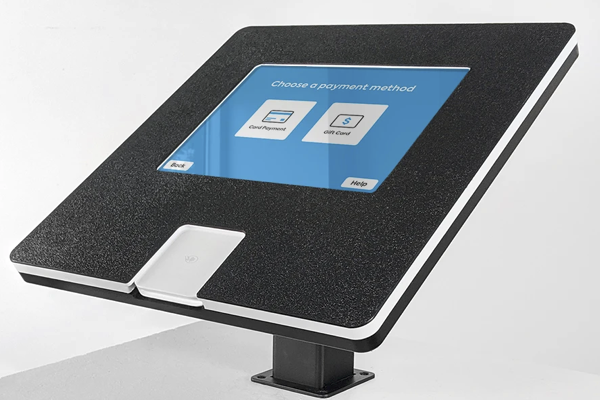


Tablet Kiosks are great for providing customers with easy ordering without them having to wait in line. With the help of kiosks, tablets can become interactive, self-service, or act as an educational tool to expose customers to your menu in your store.
Understand the purpose and primary use
Tablet Kiosks are one of the most popular choices for businesses looking to purchase kiosks, mainly because they are more cost-effective than purchasing a bulky screen. Here you will find everything you need to know about Tablet Kiosks. A tablet kiosk will allow you to lock users out of their tablets after a set amount of time, so only the people who need access to the data will have it. Tablets are also more portable than desktop computers, which means that the kiosk can be used in more locations. Tablet Kiosks can also function as interactive order terminals if they are connected to POS systems like Square with Orda. The primary use for tablet kiosks is as a self-service or public information terminal for customers. Many large companies like hotels and hospitals use them in places like lobbies and waiting rooms where patient information can be accessed while still maintaining some level of privacy for patients. Tablet kiosks help reduce costs by not requiring a full-time cashier to manually enter orders all day.
Evaluate the strengths
A Tablet Kiosk is devices for the best customer experience because they are lightweight and intuitive. These kiosks are portable so they can be used in different locations. They are quite popular because they offer a lot of benefits to consumers. Another benefit that these kiosks provide is that they allow people to get information about different products and services on them easily. They offer quick service which helps people save time.
Consider operating and hardware capabilities and limitations
A tablet kiosk like an iPad or Android tablet would be an ideal application for your new tablet hardware. The Kiosk could be positioned in a high traffic area, such as at the entrance to a store or in the middle of the mall concourse. It would be equipped with a large touchscreen display capable of displaying large, full-color graphics and video. The Kiosk could also help customers understand your menu and connect with your brand. Screens created by the Kiosk could include text, graphics, and video clips relevant to a visitor's request or needs.
Choose a screen size and resolution
The major advantage of the Tablet Kiosk is the large screen and the ability to interact with it. The screen size and resolution can be set as required by your application. The kiosk has a web browser that can show full webpages. It has a touchscreen that supports multi-touch gestures. The touchscreen has a pen for writing or drawing on its surface. There are a couple of hardware variants for a Tablet Kiosk: a model with a 15" screen and a model with an 18" screen. Both models have a resolution of 1024x768 pixels. The 15" model has a touchscreen of approximately 10" diagonal, whereas the 18" model comes with a 13" touchscreen. The Tablet Kiosk comes on an aluminum base that provides support for both vertical and horizontal orientation of the device on a flat surface. The base has rubber feet for hard surfaces and wheels that allow you to move the kiosk easily on carpeted floors or over short distances on hard surfaces.
When you are planning to buy tablets for your restaurant or food business, you need to know the main purpose of these devices. You should ask yourself what all the tablets in your restaurant are supposed to do. If you have a tablet kiosk in place, their main purpose is to provide additional services for your customers. They help clients take care of their orders, pay for their meals and get information about your products or location. Tablet kiosks are used to provide information about the menu, any discounts that are offered that day, promotions and special offers, etc. Tablet kiosks are used to accept payments from customers. Tablet kiosks are used to announce special events at your restaurant or food business. Tablet kiosks are used in the kitchen area to control all processes during cooking and serving of meals. Tablet kiosks can be used in the kitchen area for ordering ingredients if it's necessary in some cases. If you decide to buy tablet kiosks for your restaurant or food business, you should understand that these devices will work only if they are properly installed and maintained.